Making life easier with assistive technology

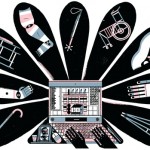
I came across an interesting new blog called, The Assistive Technology Daily, which discusses assistive technology devices that can help make life easier for people of all ages and abilities, such as the:

Visit The Assistive Technology Daily to discover more of these helpful devices.

The Universal Design Product Collection at State University of New York at Buffalo Libraries

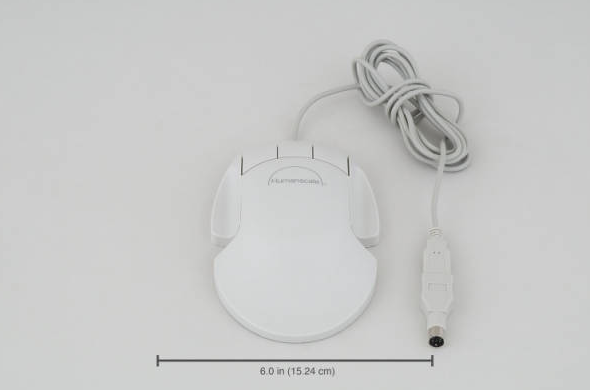
mouseState University of New York at Buffalo Libraries have a digital collection for universal design products. Some of them are quite interesting, for example, the mouse in the right side illustration. It looks like a regular mouse, but it is much larger than the normal one so that it “fits the palm of the hand and does not require bending of the fingers.”  If your hands are sometimes tired of holding the mouse after being in front of the computer for hours, you may want to try out this flat mouse.

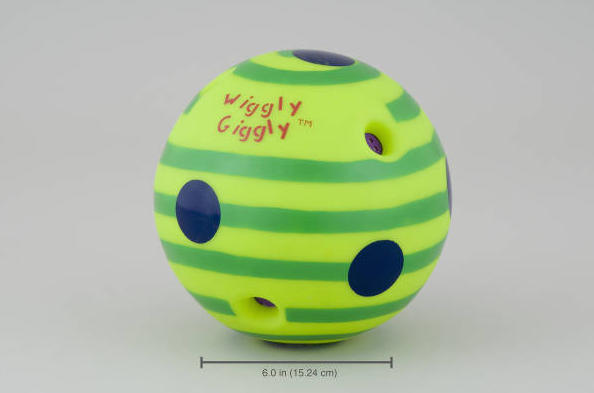
ballI also noticed this wiggly and giggly ball.  It “wiggles and giggles when it moves”, so it can encourage babies to follow (learn to crawl!) even before they can actually crawl.

Happy viewing!

Images from the Universal Design Product Collection at State University of New York at Buffalo Libraries


Women, Minorities, and Persons with Disabilities in Science and Engineering

In the spirit of McGill’s second Disabilities Awareness Week, I thought that I would bring your attention to this site from the U.S. National Science Foundation (NSF): Women, Minorities, and Persons with Disabilities in Science and Engineering. This site is where you can find statistics on women, minorities, and persons with disabilities in science and engineering education and employment. They write a report every two years, mandated by the Science and Engineering Equal Opportunities Act, and have made the latest digest available for download, along with the corresponding data files. The themes of the digest are enrollment, field of degree, employment status, occupation, academic employment, and persons with disabilities.

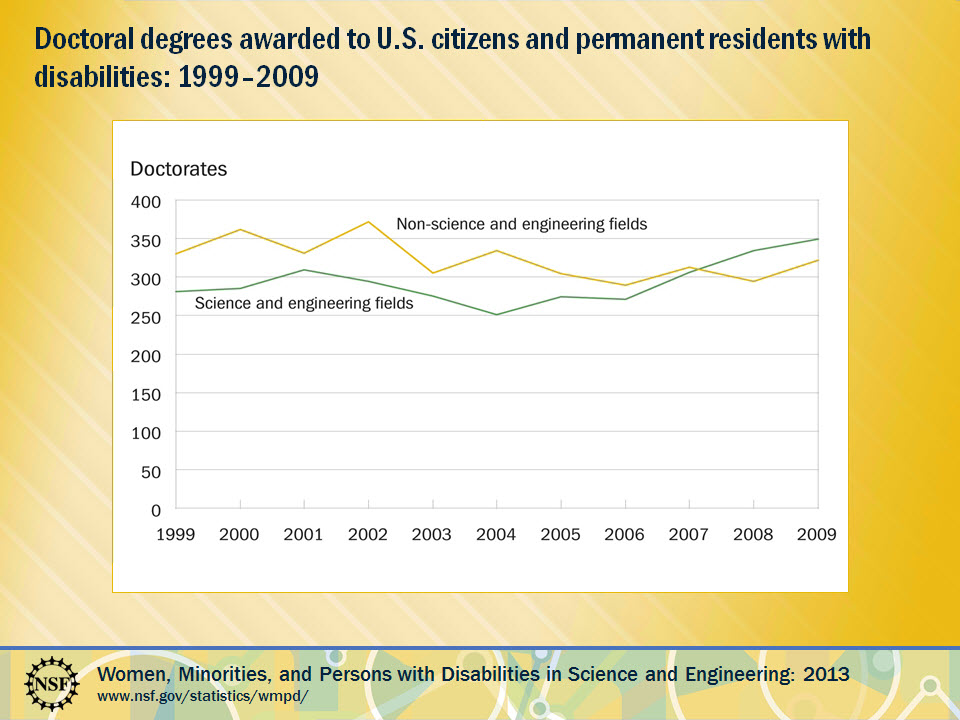
According to the NSF, persons with disabilities are underrepresented in the science and engineering workforce compared to the population as a whole. However, the graph below shows that since 2008, U.S. citizens and permanent residents with disabilities have earned more science and engineering doctorates than in non-S&E fields.

NSFfig6b

New at Schulich Library: 7 Principles of Universal Design Exhibit

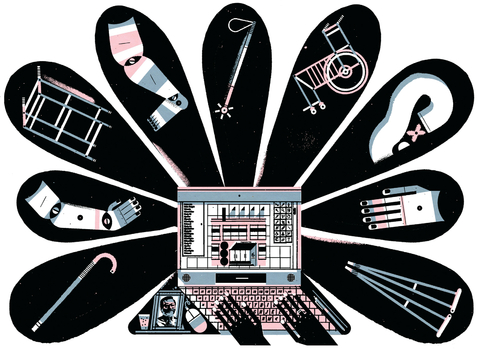
101-universal-design-computer-with-petalsToday kicks off McGill’s Second Disability Awareness Week: Inclusion – celebrating sustainable campus practices. Schulich Library has retired its Canadian Patents Exhibit that used to live in the display case on the main floor and has replaced it with an exhibit highlighting the 7 Principles of Universal Design. The Center for Universal Design at North Carolina State University defines Universal Design as: The design of products and environments to be usable by all people, to the greatest extent possible, without the need for adaptation or specialized design. The Office for Students with Disabilities at McGill tells us that “Universal Design is the model most Higher Education Disability service providers in North America are turning to…Design and conception are the focus, rather than the individual or any specific impairment. Universal Design is originally and historically an architectural framework which includes 7 principles.” Come to Schulich Library and visit the 7 Principles of Universal Design Exhibit. The exhibit includes pictures and objects that exemplify each of the principles. You might be surprised by how many everyday objects and architectural features are informed by Universal Design principles.

The 7 Principles of Universal Design:

PRINCIPLE ONE: Equitable Use
The design is useful and marketable to people with diverse abilities.

PRINCIPLE TWO: Flexibility in Use
The design accommodates a wide range of individual preferences and abilities.

PRINCIPLE THREE: Simple and Intuitive Use
Use of the design is easy to understand, regardless of the user’s experience, knowledge, language skills, or current concentration level.

PRINCIPLE FOUR: Perceptible Information
The design communicates necessary information effectively to the user, regardless of ambient conditions or the user’s sensory abilities.

PRINCIPLE FIVE: Tolerance for Error
The design minimizes hazards and the adverse consequences of accidental or unintended actions.

PRINCIPLE SIX: Low Physical Effort
The design can be used efficiently and comfortably and with a minimum of fatigue.

PRINCIPLE SEVEN: Size and Space for Approach and Use
Appropriate size and space is provided for approach, reach, manipulation, and use regardless of user’s body size, posture, or mobility.

Image from www.udeworld.com

New platform of SpringerLink

SpringerSpringer is one of the major publishers in the world of science and technology. It has an online platform for its ebooks, called SpringerLink. It recently changed its interface. Unfortunately, the migration caused some of McGill Library’s ebooks to go temporarily missing from the collection. If you see a Springer ebook in the Library’s Catalogue but cannot open the full text following the “Find it” link, you could try pressing the “Access old SpringerLink” button on the top right of the screen. This will take you to the old platform where you may be able to open the full text.

Additionally, if you cannot find a recently published Springer book in the Library’s catalogue, try going to SpingerLink directly and searching by the title or author. Sometimes the catalogue records come later than the ebooks. Please note that you need to turn on VPN or log onto EZproxy if you want to access the Library’s electronic resources from off campus.

Reading journal articles

I have had a few interesting discussions with students about reading journal articles.  Specifically, we discussed how to read journal articles in order to make them understandable and how to extract relevant information from the contents of an article.  There is a great online tutorial from Purdue University Libraries that explains How to Read a Scientific Paper, which I find useful for both teaching and learning this subject.

Polymath and open science

Polymath

The Internet has inspired scientists to collaborate in new ways, such as with citizen science (posted last week). Take a look at the author of this article published in the physics eprint repository, arXivPolymath is not actually a person, it is a project. It began on the blog of a mathematician (Tim Gowers) in 2009 when an open invitation was sent out for anyone to contribute to solving a math problem that remained unsolved – it was solved in 37 days.

Polymath is a success story from the open science movement, where scientists are encouraged to share their research as early as possible in the process and not wait for formal publication. There are individuals, like Michael Nielsen (watch his Open science now! TED Talk), trying to change the culture of science and speed up scientific discovery. Open science is similar to the open access movement that aims to have journal articles openly available to all. It includes things like open notebooks where researchers keep online notes with their methods and research results (even if they were unsuccessful).

How would you encourage collaboration and openness in scientific research?

Pledge for H2O

As humans, we all need water. The ecosystems of Earth need water too. Unfortunately, many rivers run dry from overuse. If you don’t want to see this happen, one of the things you can do is to save the water that you consume every day. Here are some tips. You can also take the pledge at Change the Course to help restore the Colorado River. Every pledge will return 1,000 gallons to this river.

If you are interested in learning more about freshwater and why it is so important to the world, I would recommend National Geographic’s Freshwater 101 to start your research.

Calling all citizen scientists

GalaxyZoo

There is room for everyone in science and researchers are harnessing the enthusiasm of everyday people (not to mention their free time) to work on projects.

Galaxy Zoo is perhaps the most famous example of citizen science, with over 200,000 volunteers classifying galaxy images taken from a robotic telescope. Citizens have always played an important role in astronomy but now anyone can contribute without buying expensive equipment. We humans are needed to describe the images but the task is too large for a researcher or group of researchers to take on. Thus far over 150 million galaxies have been classified by volunteer astronomers (zooites) and a few have gone on to make really neat discoveries.

A more local example is Phylo, a citizen science project from McGill. A lot of these projects are actually games that people can play (yes, science can be fun!) and this one uses your pattern recognition skills to solve DNA puzzles in order to learn more about gene mutations and genetic disorders.

I urge you to find a citizen science project that interests you. Take a look at this list from Scientific American. There are a lot of weather or nature watching options (Snowtweets, RinkWatch, ZomBee Watch, SubseaObservers). There is even an Open Dinosaur Project.

Happy exploring!