What is “peer review”?

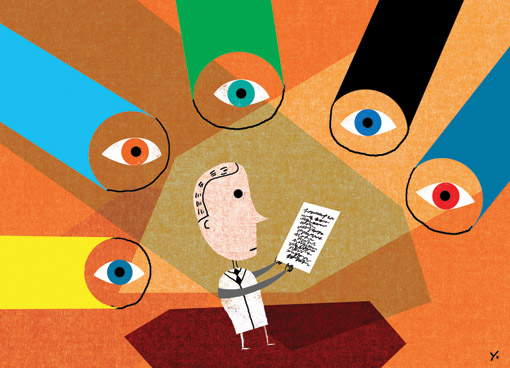
peer_reviewWe write a lot on this blog about finding, reading, and evaluating research articles and this post is about understanding the meaning of “peer review” in the context of scholarly publishing.

When we teach students about research methods during orientation, in their classrooms, and during one-on-one consultations, we always introduce the concept of scholarly vs. popular literature. That is, the difference between articles written by and for other researchers, and articles written by journalists and other types of authors for the general public (magazine and newspaper articles for example).

Most scholarly articles have gone through a peer review process, where one or more experts have evaluated the study and given it a stamp of approval. It is now ready for publication and use by other researchers to build upon the ideas in the study. This is just meant as a very lean preamble to a more in-depth article about peer review on the website boing boing. This easy to understand article is part of Meet Science, a series intended to “provid[e] quick run-downs of oft-referenced concepts, controversies, and tools that aren’t always well-explained by the media.” The article is succinct and attempts to answer some pertinent questions about the peer review process. I hope you find it helpful.

Image from www.pioneersread.wordpress.com

Can serious research be funny?

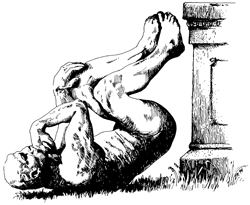
While readimascotng the newspaper, I came across a reference to the Ig Noble Prizes, which celebrates research that makes people laugh and then think.  The organization, Improbable Research, also publishes a bi-monthly magazine called, Annals of Improbable Research.  Check it out to laugh and for thought-provoking studies.

Image of “The Stinker,” the official mascot of the Ig Noble Prizes, from www.improbable.com/ig/

Ten tips for a GIS job interview

interviewApril is a busy month when you are wrapping up your studies and planning your summer activities. For those of you who are preparing for a job interview in the GIS field, I would like to share the following tips from GIS Lounge.

  1. Volunteer
  2. Create a portfolio
  3. Research the GIS job you are interviewing for
  4. Don’t rush to answer
  5. Project the right body language
  6. Make sure to highlight your experiences
  7. Demonstrate your ability to work collaboratively
  8. Be positive
  9. Show an interest in your prospective place of employment
  10. Show your passion

For details of these tips, please read here.

Image credits to Microsoft Images.

Compare databases

We are forever recommending the big databases for finding journal articles and conference proceedings but do you ever wonder how much overlap there is between the databases in science and engineering? You can compare databases using the Academic Database Assessment Tool from the Center for Research Libraries.

Compare the journal coverage of the two major multidisciplinary databases, Web of Science and Scopus, or see how the content overlaps with Compendex (engineering), Inspec (physics) and Geobase (geosciences). According to this tool, there are 11377 overlapping journal titles between Web of Science and Scopus – not a small number.

The redundancy in the search results from searching multiple databases is why we also recommend using citation management software. You can send all of your records to EndNote, for example, from the different databases and then remove the duplicates before you look through them to delete ones you don’t like and select papers of interest you’d like to read. EndNote can also check the McGill Library holdings and attach full text PDFs to records (just fyi).

Top 15 websites in science

According to the Internet watcher, eBizMBA.com, the 15 science websites that receive the most monthly visits are:

1 – howstuffworks

2 – NOAA (National Oceanic and Atmospheric Administration, U.S.)

3 – Discovery

4 – NASA

5 – ScienceDirect

6 – ScienceDaily

7 – Nature

8 – Treehugger

9 – PopSci

10 – ScienceBlogs

11 – PhysOrg

12 – NewScientist

13 – LiveScience

14 – Space

15 – RedOrbit

Have you visited any of these sites?  What is your favourite science website?

Making life easier with assistive technology

I came across an interesting new blog called, The Assistive Technology Daily, which discusses assistive technology devices that can help make life easier for people of all ages and abilities, such as the:

Visit The Assistive Technology Daily to discover more of these helpful devices.

The Universal Design Product Collection at State University of New York at Buffalo Libraries

mouseState University of New York at Buffalo Libraries have a digital collection for universal design products. Some of them are quite interesting, for example, the mouse in the right side illustration. It looks like a regular mouse, but it is much larger than the normal one so that it “fits the palm of the hand and does not require bending of the fingers.”  If your hands are sometimes tired of holding the mouse after being in front of the computer for hours, you may want to try out this flat mouse.

ballI also noticed this wiggly and giggly ball.  It “wiggles and giggles when it moves”, so it can encourage babies to follow (learn to crawl!) even before they can actually crawl.

Happy viewing!

Images from the Universal Design Product Collection at State University of New York at Buffalo Libraries


Women, Minorities, and Persons with Disabilities in Science and Engineering

In the spirit of McGill’s second Disabilities Awareness Week, I thought that I would bring your attention to this site from the U.S. National Science Foundation (NSF): Women, Minorities, and Persons with Disabilities in Science and Engineering. This site is where you can find statistics on women, minorities, and persons with disabilities in science and engineering education and employment. They write a report every two years, mandated by the Science and Engineering Equal Opportunities Act, and have made the latest digest available for download, along with the corresponding data files. The themes of the digest are enrollment, field of degree, employment status, occupation, academic employment, and persons with disabilities.

According to the NSF, persons with disabilities are underrepresented in the science and engineering workforce compared to the population as a whole. However, the graph below shows that since 2008, U.S. citizens and permanent residents with disabilities have earned more science and engineering doctorates than in non-S&E fields.

NSFfig6b

New at Schulich Library: 7 Principles of Universal Design Exhibit

101-universal-design-computer-with-petalsToday kicks off McGill’s Second Disability Awareness Week: Inclusion – celebrating sustainable campus practices. Schulich Library has retired its Canadian Patents Exhibit that used to live in the display case on the main floor and has replaced it with an exhibit highlighting the 7 Principles of Universal Design. The Center for Universal Design at North Carolina State University defines Universal Design as: The design of products and environments to be usable by all people, to the greatest extent possible, without the need for adaptation or specialized design. The Office for Students with Disabilities at McGill tells us that “Universal Design is the model most Higher Education Disability service providers in North America are turning to…Design and conception are the focus, rather than the individual or any specific impairment. Universal Design is originally and historically an architectural framework which includes 7 principles.” Come to Schulich Library and visit the 7 Principles of Universal Design Exhibit. The exhibit includes pictures and objects that exemplify each of the principles. You might be surprised by how many everyday objects and architectural features are informed by Universal Design principles.

The 7 Principles of Universal Design:

PRINCIPLE ONE: Equitable Use
The design is useful and marketable to people with diverse abilities.

PRINCIPLE TWO: Flexibility in Use
The design accommodates a wide range of individual preferences and abilities.

PRINCIPLE THREE: Simple and Intuitive Use
Use of the design is easy to understand, regardless of the user’s experience, knowledge, language skills, or current concentration level.

PRINCIPLE FOUR: Perceptible Information
The design communicates necessary information effectively to the user, regardless of ambient conditions or the user’s sensory abilities.

PRINCIPLE FIVE: Tolerance for Error
The design minimizes hazards and the adverse consequences of accidental or unintended actions.

PRINCIPLE SIX: Low Physical Effort
The design can be used efficiently and comfortably and with a minimum of fatigue.

PRINCIPLE SEVEN: Size and Space for Approach and Use
Appropriate size and space is provided for approach, reach, manipulation, and use regardless of user’s body size, posture, or mobility.

Image from www.udeworld.com